
Find sensitive photos.
Your phone remembers more than you do. Scour reads your photos on-device and finds the card numbers in them for free. Scour Pro adds bank details, passports and ID cards, recovery phrases, Wi-Fi and two-factor codes, API keys and more.
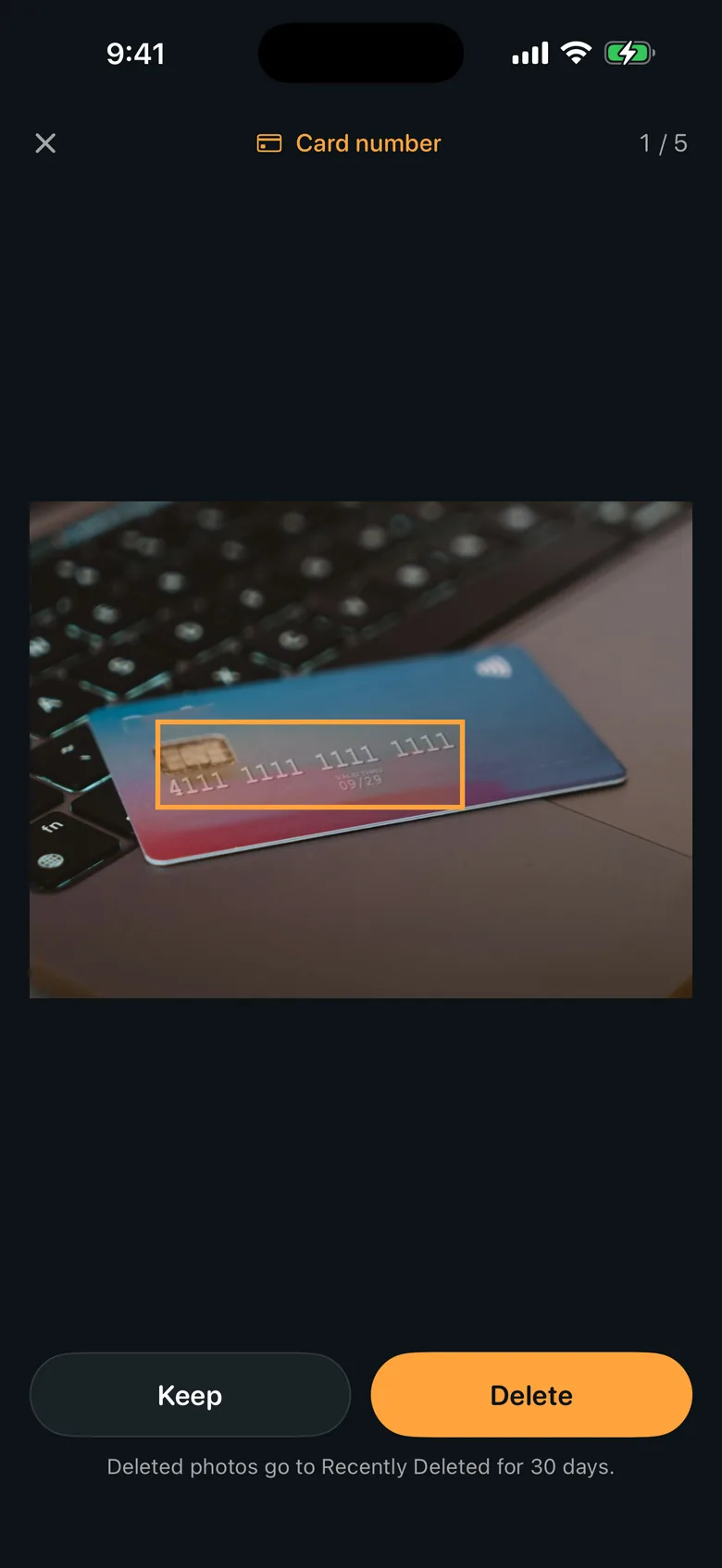
You screenshot a bank transfer. You photograph your passport for a form. You save a recovery phrase "just for a minute," keep the Wi-Fi card from a rental, a boarding pass, a screenshot with an API key in it. Years later they are all still in your camera roll, and you have no idea which ones. Scour finds them, highlights the part that matters, and lets you clear them out. Card numbers are free, with no time limit; Scour Pro opens every other kind it can prove, groups the photos that look like receipts, cards or passport pages, and clears a whole list in one step. Reading and matching happen entirely on your iPhone — no photo is ever uploaded.
The thinking behind Scour.
It checks before it accuses
A photo is only flagged when what it holds actually validates — the Luhn check, mod-97, check digits, the BIP-39 list, an address checksum, an issuer's published key prefix. A date or an order number will not be reported as a card, because the maths has to agree first.
Your photos stay on your phone
Reading and matching happen entirely on this device. No photo, no thumbnail and no text found inside a photo is ever uploaded. There is no account and nothing to sign up for.
Free to start, honest about the rest
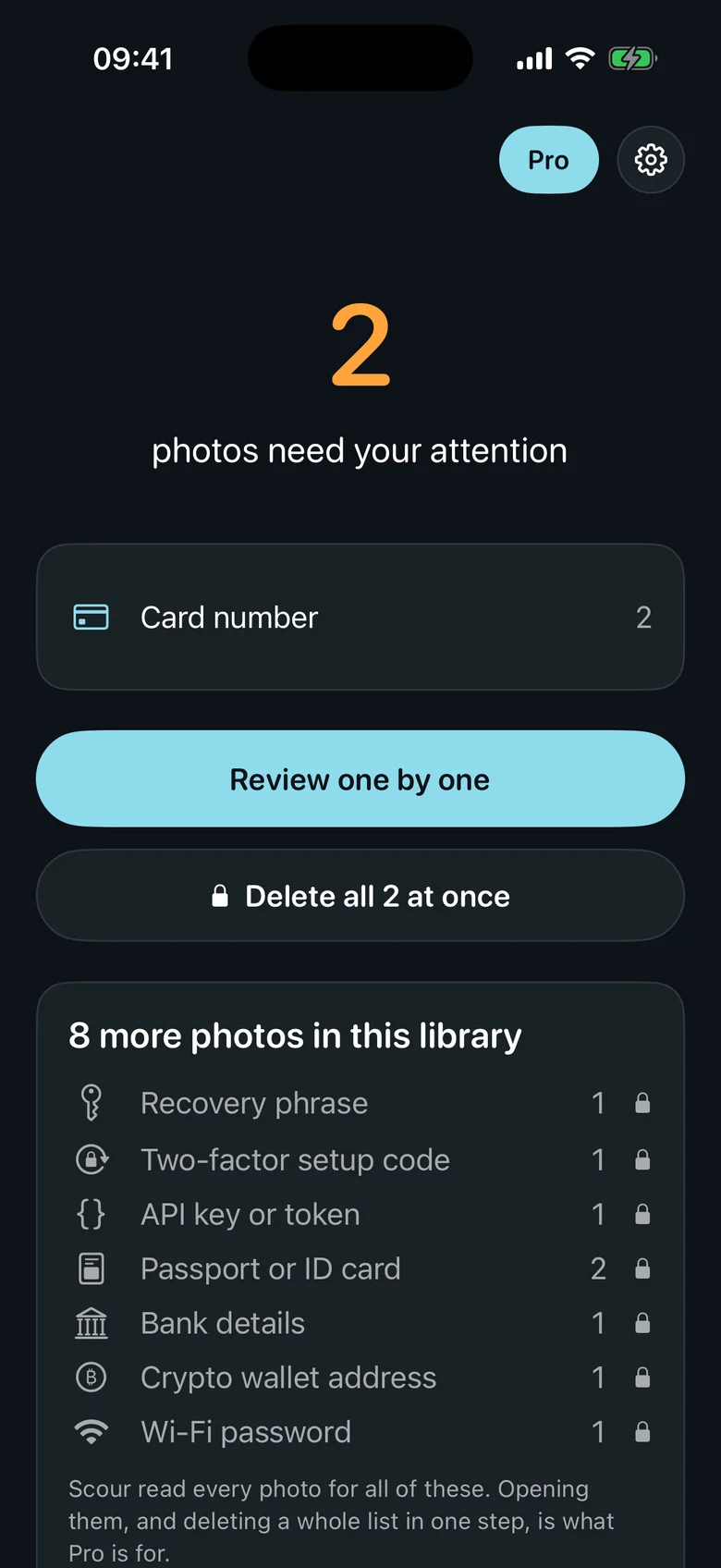
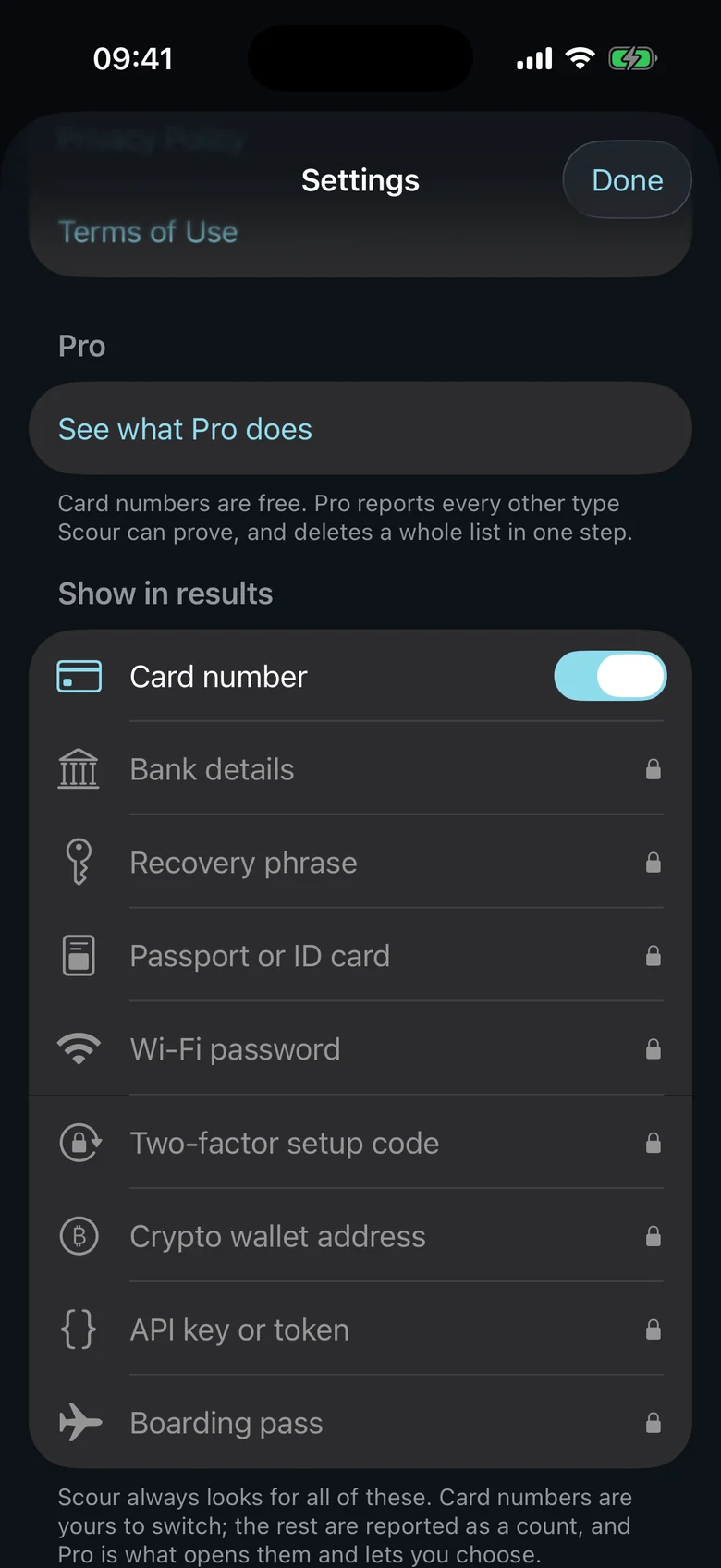
Card numbers are free, found, shown and deleted with no time limit. Everything else the same scan proves is shown as a count of your own photos until Scour Pro opens it — and a free scan never tells you a library is clean when other kinds were not shown.
Features that earned their place.
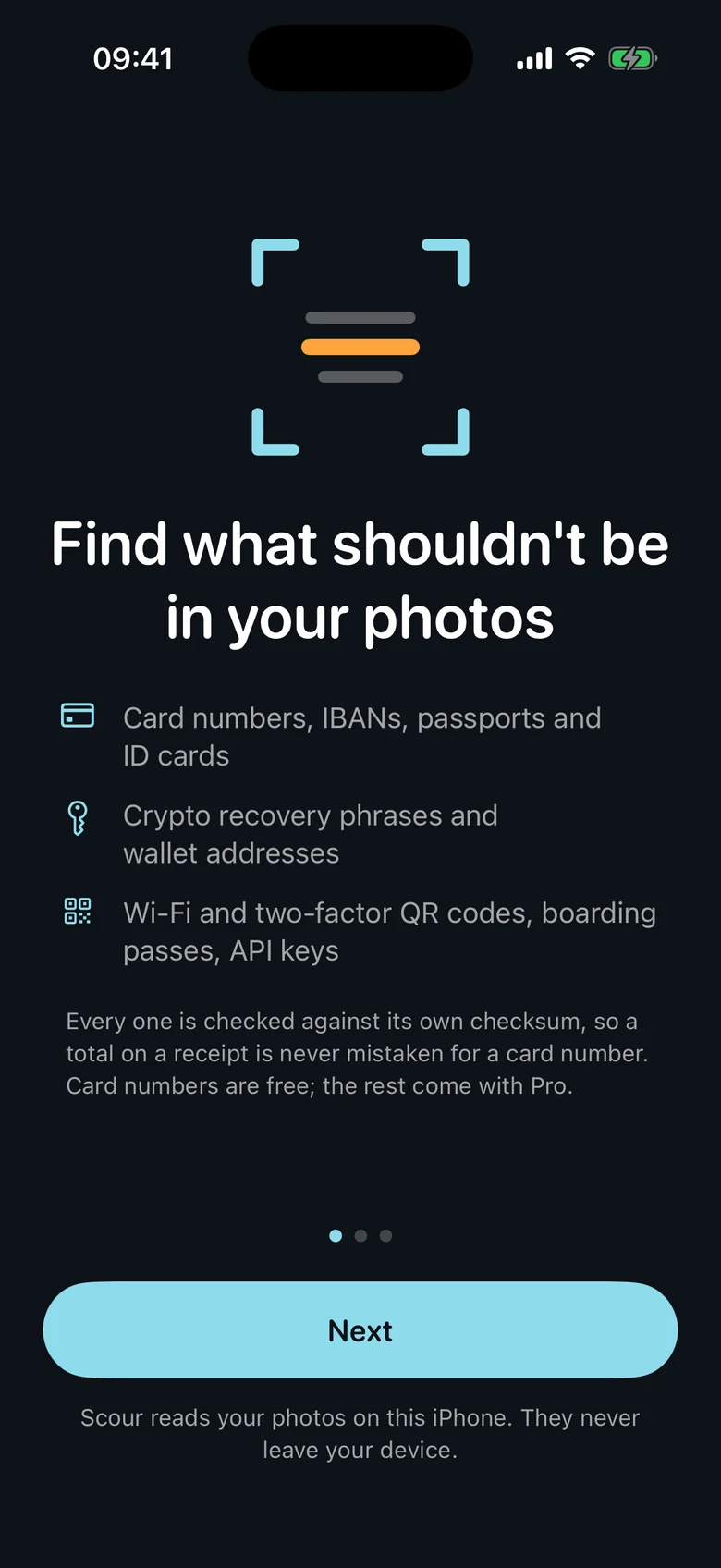
- Card numbers, verified with the Luhn check — free
- IBANs, passports and ID cards, verified by their own check digits
- Recovery phrases and wallet addresses, checked against BIP-39 and the address checksum
- Wi-Fi and two-factor QR codes, boarding passes and live API keys
- Photo groups — receipts, cards, passport pages — cleared in one step
- Everything read on device — nothing uploaded
Scour, on film.
Scour, in action.
Answers.
Do my photos leave my iPhone?
No. Scour reads and matches everything on the device. It sends anonymous usage counts only — never a photo, never the text inside one, and never what was found.
What if it flags a photo I want to keep?
Keep it — that photo is not put in front of you again, unless you start the scan over from Settings. And anything you do delete goes to Recently Deleted for 30 days, so nothing is lost by accident.
Is it a subscription?
No. Card numbers are free, with no time limit. Scour Pro — every other kind, photo groups and deleting a whole list in one step — is a one-time purchase: you pay once and it is yours, with nothing that renews. If you had Scour before version 1.1.0, Pro is already included for you.