A tour of Scour
Scour reads the photos on your iPhone and finds the ones holding something you would not want seen: card numbers for free, and with Scour Pro bank details, passports and ID cards, recovery phrases and wallet addresses, Wi-Fi and two-factor codes, boarding passes and API keys. This is what it looks like in use — four screens, and what each one is for. The scan itself runs once through your library, tells you how far it has got and roughly how long is left, and you can look at what it has found without waiting for the end.
Published September 20, 2026
Before it looks at anything
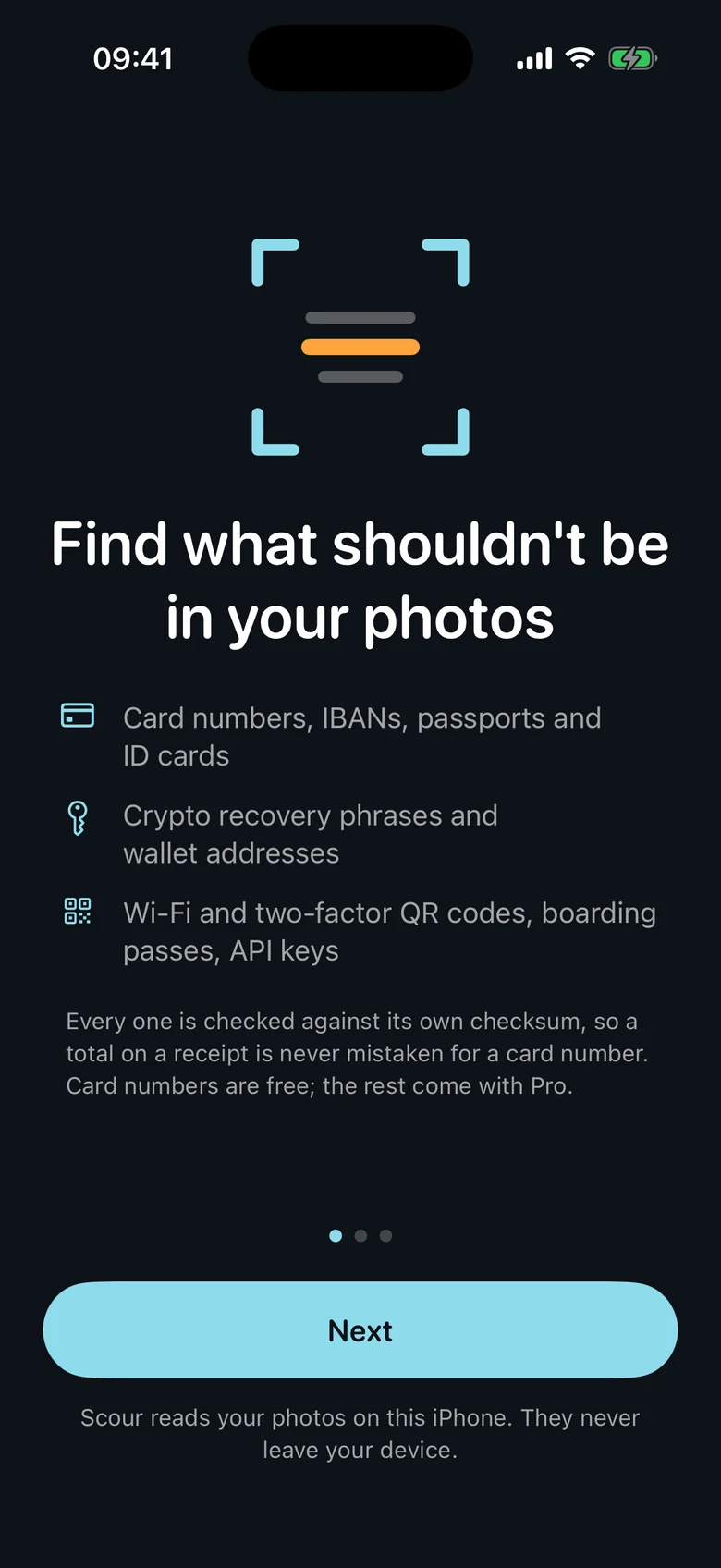
Three short pages say what Scour is about to do: what a photo can hold that it looks for, what a photo can be — a receipt, a card, a passport page — and that all of it happens on this iPhone, with no account and nothing uploaded. The first page also says, before anything else, that card numbers are free and the rest come with Pro, so nobody finds that out after installing. The last button says Continue, not Allow: the screen before a system permission prompt is there to explain what is being asked for, not to announce the answer on iOS's behalf.
What it found
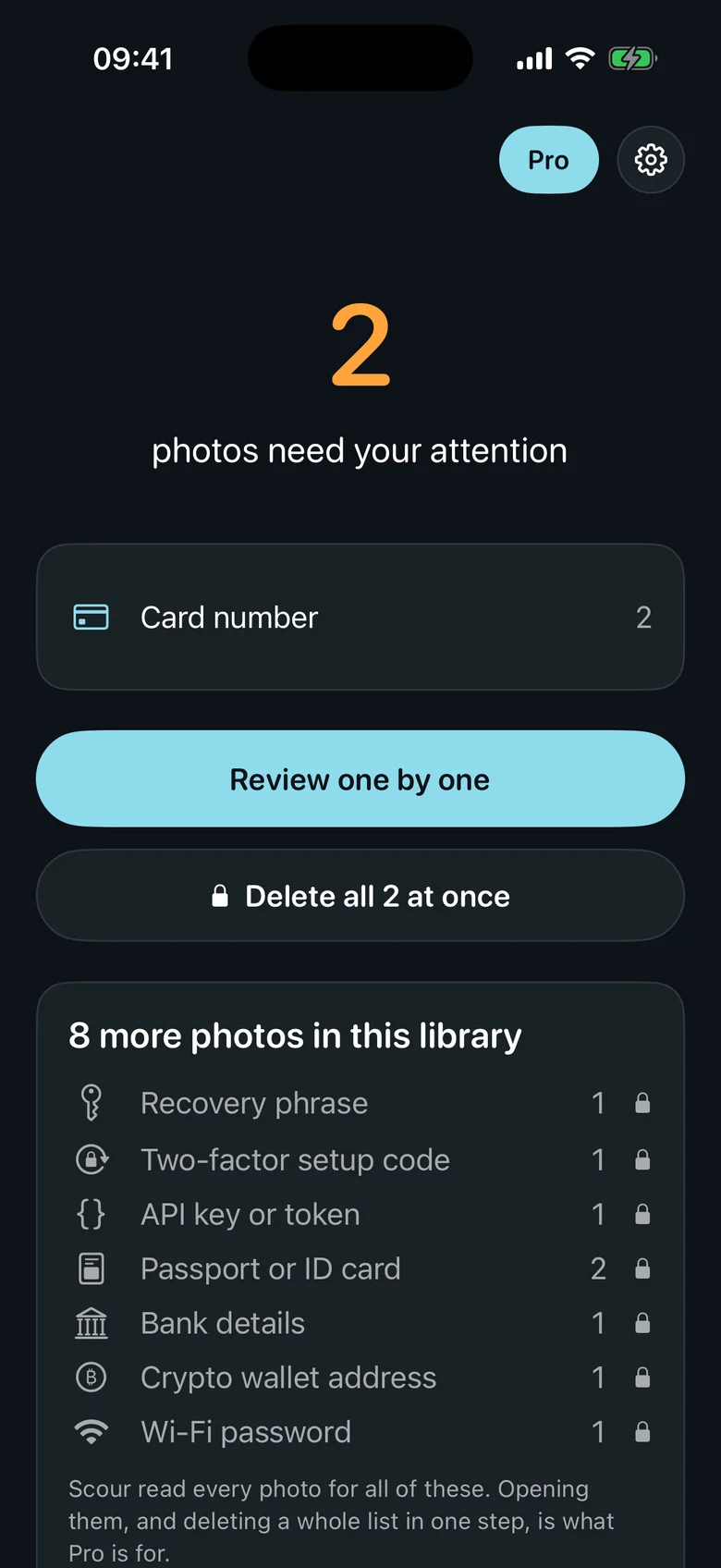
When the scan finishes you get a count and a breakdown by kind. On the free app that is card numbers, opened in full. Everything else the same scan proved is shown underneath as a count of your own photos, by kind and with a lock — a recovery phrase, a passport, a Wi-Fi password — without the photo and without what is in it. That card is the honest form of a paywall: your library telling you something true, and the app saying in its own words that it read every photo for all of them. An empty free scan says "No card numbers found", never "nothing sensitive found".
One photo at a time
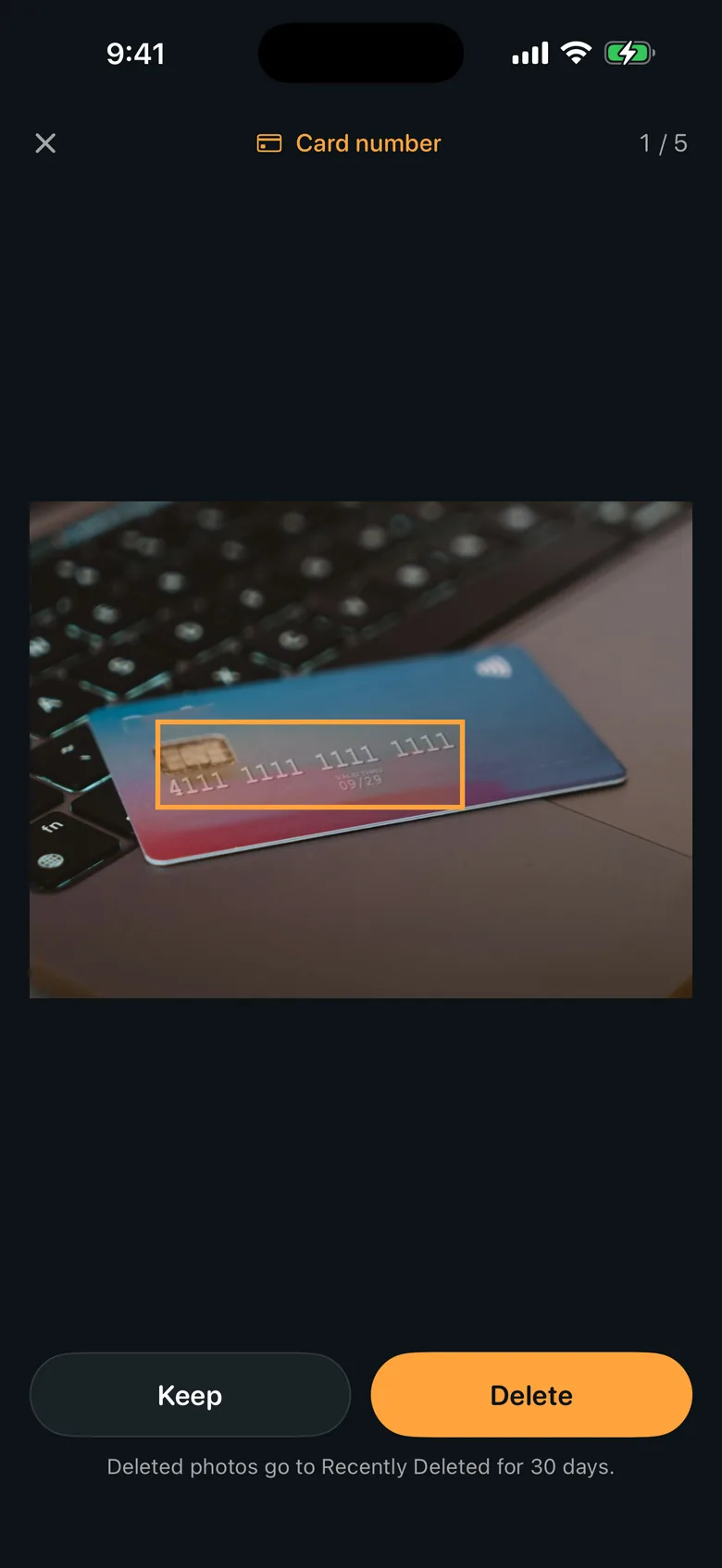
Review shows you the photo with the part that matters boxed on it, and names what it is at the top. Keep or Delete, then the next one — and a photo you keep is not put in front of you again, unless you later start the scan over. What is behind that box is the reason Scour exists in this shape: nothing is flagged until the arithmetic agrees. A card number has to pass the Luhn check and start with a range a real issuer uses; an IBAN has to pass mod-97 at its country's exact length; a passport or ID card is found by the check digits inside its machine-readable lines; a recovery phrase has to be made of BIP-39 words; a wallet address has to pass its own checksum. An order number or a date does not get called a card. Anything you do delete goes to Recently Deleted for thirty days.
The switches afterwards
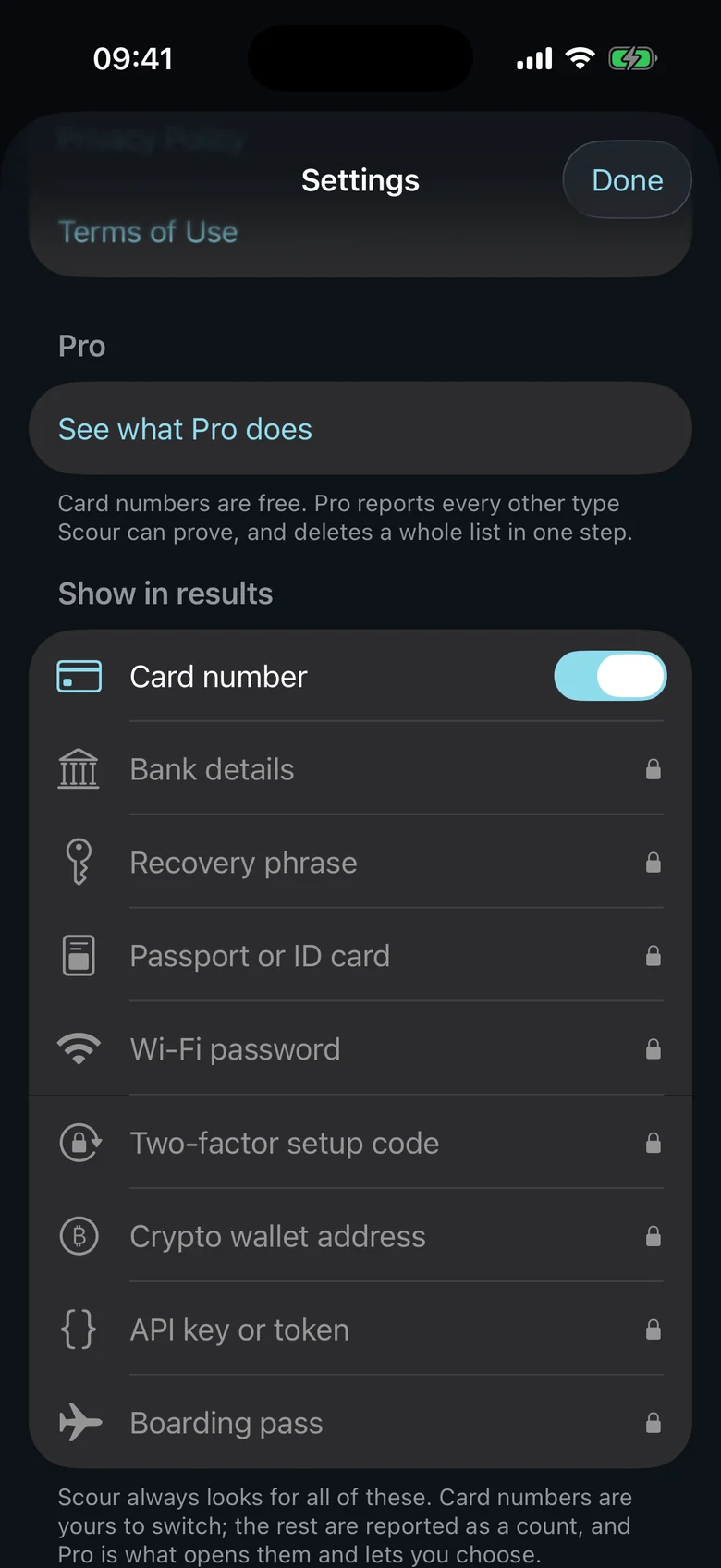
Settings holds the privacy statement — reading and matching happen on the device, and Scour sends anonymous usage counts only, never a photo, never the text inside one, never what was found. Under it is a switch for every kind and every photo group. On the free app only card numbers have one; the rest show a lock, and tapping one opens Scour Pro rather than pretending to do something. With Pro, every switch works, and they do less than they look like they do on purpose: Scour always looks for everything, and switching a kind off only keeps it out of your list. Nothing is rescanned, and switching it back brings the findings straight back.
Free and Pro
Free, with no time limit
- Scanning your whole photo library, as many times as you like
- Card numbers, found, boxed and deleted one at a time
- A count of everything else the scan proved, by kind
- No account, no sign-up, no ads
Scour Pro, paid once
- Bank details, passports and ID cards
- Recovery phrases and wallet addresses
- Wi-Fi and two-factor QR codes, boarding passes and API keys
- Photo groups — receipts, cards, passport pages and more — each cleared in one step
- Deleting everything a scan found in one step
Scour Pro is a one-time purchase — no subscription, nothing that renews. Scour used to be paid up front with everything included, and that promise is kept: if you had Scour before version 1.1.0, Pro is already included for you.

Try it
Scour is on the App Store for iPhone. The product page has the full list of what it looks for, the FAQ, and the privacy details.