A calm pedometer for iPhone and Apple Watch.
Steps counted on your iPhone, your iPhone walks replayed in 3D on a map, a real Apple Watch app with your heart rate, and Home and Lock Screen widgets — all free. StepKit Pro adds the year view, records and export.
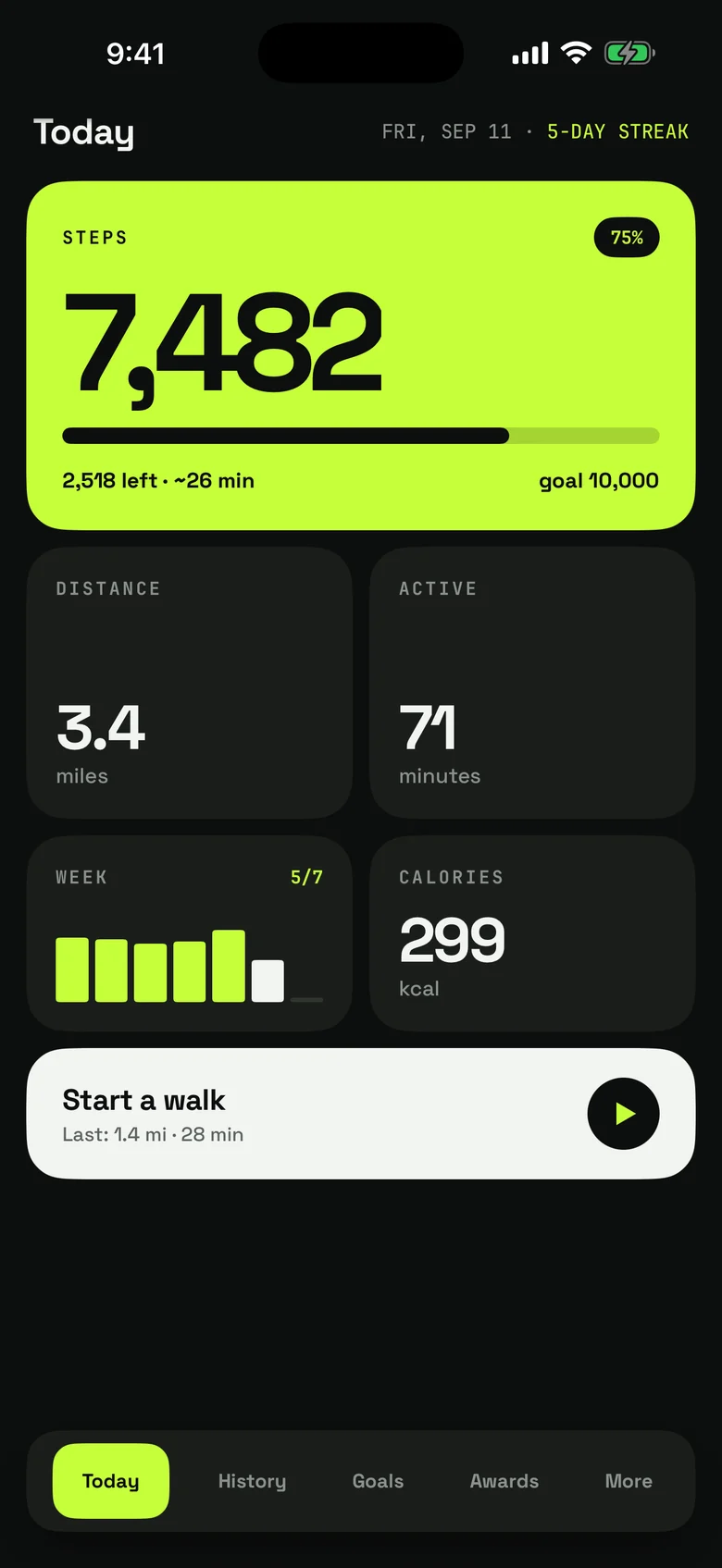
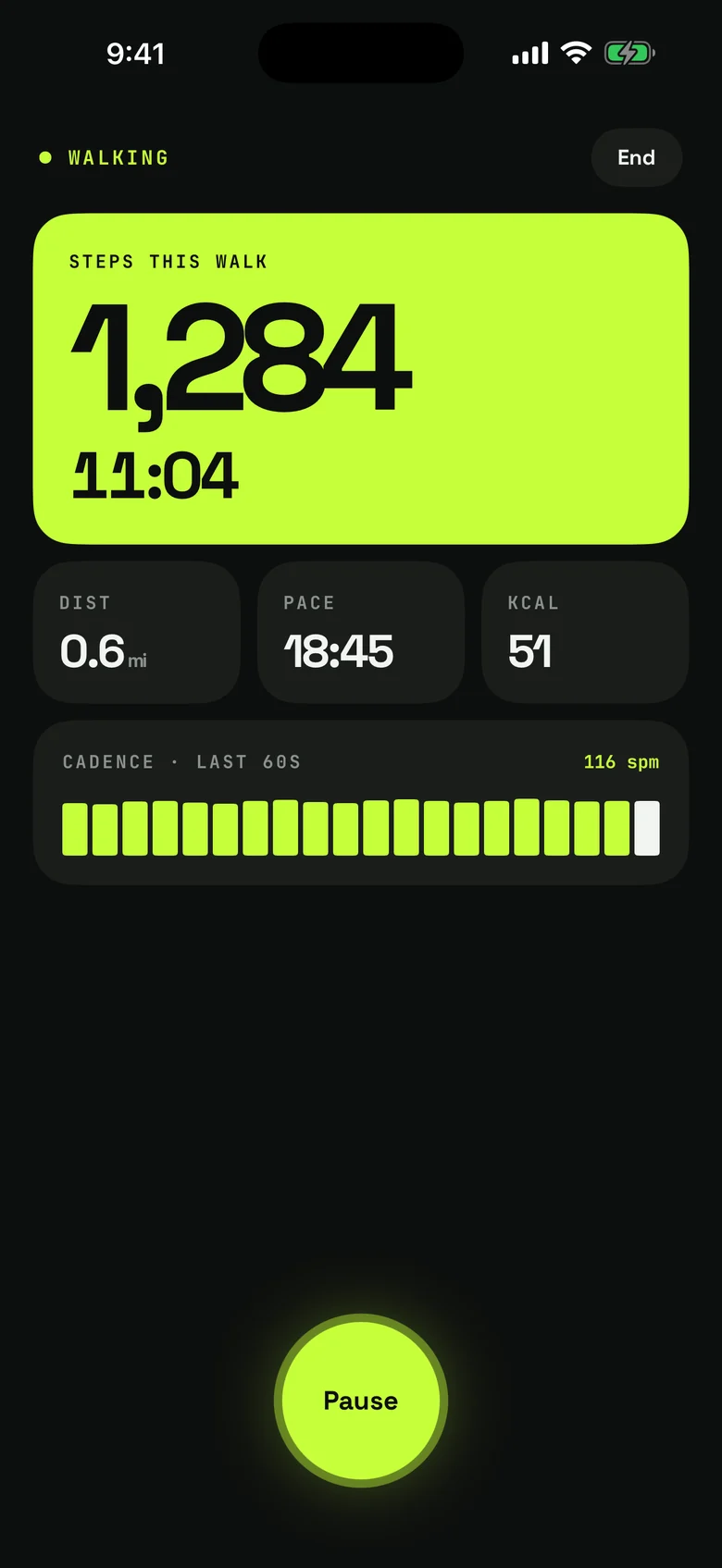
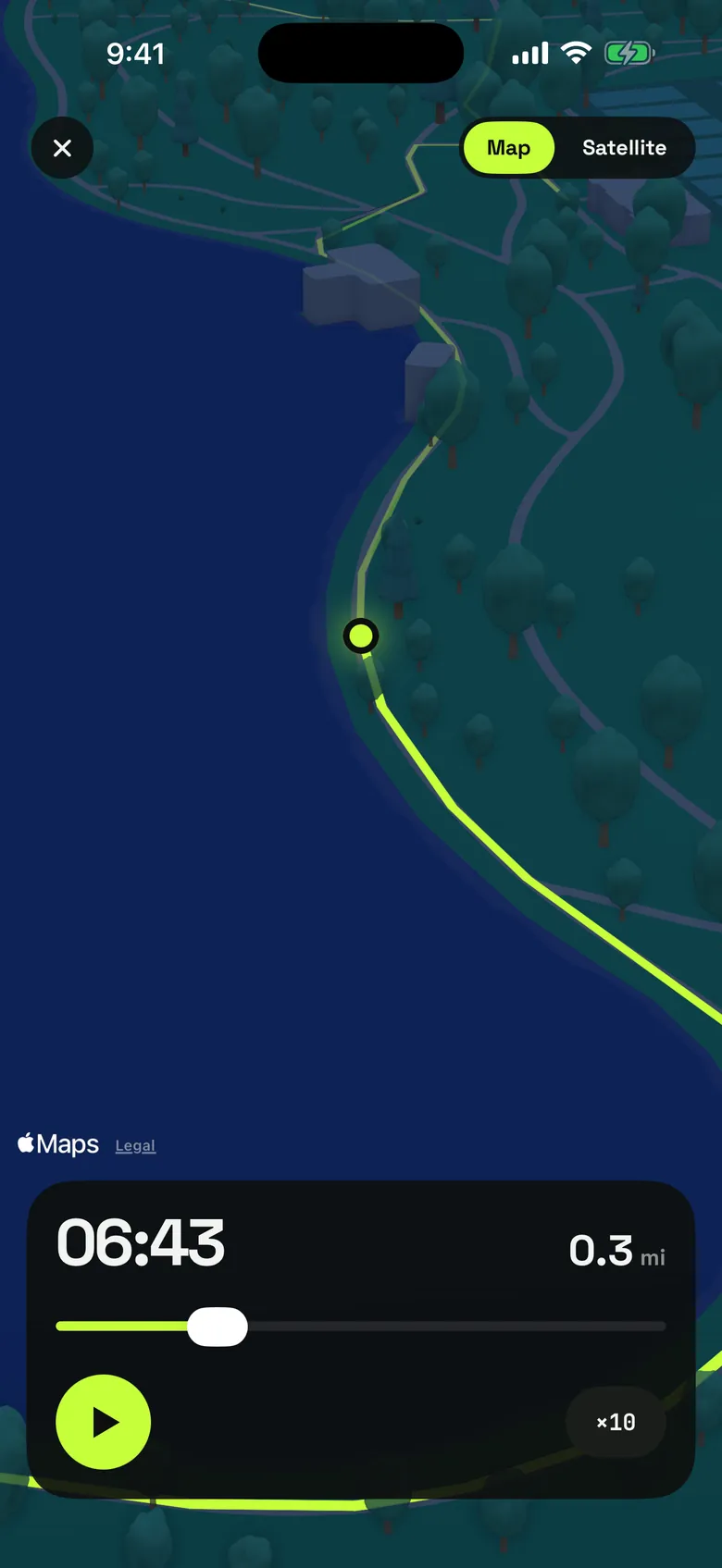
StepKit counts your steps with the iPhone's own motion sensor and keeps the history on your phone. Turn on Apple Health sync and it fills in the days before you installed it. Start a walk and it tracks steps, time, distance and pace; on Apple Watch that walk is a real workout that keeps running with your wrist down, reads your heart rate and saves itself to Apple Health. Allow Location and a walk you start on your iPhone keeps its route as well, to look back on in History and replay in 3D on the map. A daily goal and a streak, notifications as you pass halfway, near your goal and reach it, a weekly recap you can share, and 44 awards in six categories, each a ladder of real milestones, round it out. No account, no ads.
The thinking behind StepKit.
Free where your phone does the work
Counting steps, walk routes and their 3D replays, Apple Health sync, every widget, the Apple Watch app, goals, notifications and awards are free, permanently. StepKit Pro only adds what StepKit makes of your own history: trend charts that say in plain words where your walking is heading, all-time records celebrated the day you beat them, a year view for every year with a “My year” card to share, CSV export and an adaptive goal whose step you choose.
A walk is a real workout on your wrist
Start a walk on Apple Watch and it keeps recording with your wrist down, reads your heart rate, and saves itself to Apple Health as a walking workout when you end it. The phone picks it up for your history and awards.
Your steps stay on your phone
StepKit has no account and no ads. Your step history and your walk routes live on your iPhone, and Apple Health is only ever read on your own devices. The app sends a few anonymous usage events to our own server — opening the app, seeing the Pro screen — and never your steps or where you walked.
Features that earned their place.
- Steps counted by the iPhone's motion sensor — no account
- Every walk on iPhone keeps its route — on a map, and replayed in 3D
- Apple Watch app: every walk a real workout, with heart rate
- Home Screen and Lock Screen widgets, plus two watch complications
- Optional Apple Health sync fills in the days before you installed it
- A daily goal from 2,000 to 30,000 steps, with a streak
- 44 awards in six categories, from a 3-day streak to 10 million steps
- Notifications at halfway, 80% and your goal, plus a weekly recap
- StepKit Pro: trend charts, records celebrated as they fall, your year as a card, CSV export
StepKit, on film.
StepKit, in action.


Answers.
Is StepKit free?
Yes. Step counting, walk routes and their 3D replays, Apple Health sync, the widgets, the Apple Watch app, goals, notifications and awards are all free. StepKit Pro — a monthly or yearly subscription, or a one-time purchase — adds trend charts, all-time records celebrated the day you beat them, a year view with a card to share, CSV export and an adaptive goal. There is no free trial; the price is shown in the app before you buy.
Do I need Apple Health?
No. The iPhone's motion sensor counts your steps on its own. Apple Health sync is optional: turn it on and StepKit reads your step history from Health to fill in earlier days. On the iPhone it only reads; on Apple Watch, a walk you record is saved to Health as a workout.
Does it track runs?
No. StepKit is built for walking: a walk on Apple Watch is recorded as a walking workout, not a run.
Does StepKit use my location?
Only while a walk you started on the iPhone is running, to record its route — the map and the 3D replay in History. Say no and the walk still counts, just without a map. Routes stay on your iPhone and are never uploaded.
How do I cancel StepKit Pro?
In your App Store account settings on iPhone: Settings → your name → Subscriptions → StepKit. Cancel at least 24 hours before the period ends and it will not renew.
How do I get help?
Email hello@gen2apps.com or use the contact form at gen2apps.com/contact and pick StepKit. A person reads every message.