A tour of KeepUp
KeepUp is a habit tracker for iPhone. This is what it looks like in use — seven screens, what each one is for, and where the free tier ends.
Published September 20, 2026
Today, and the year under it
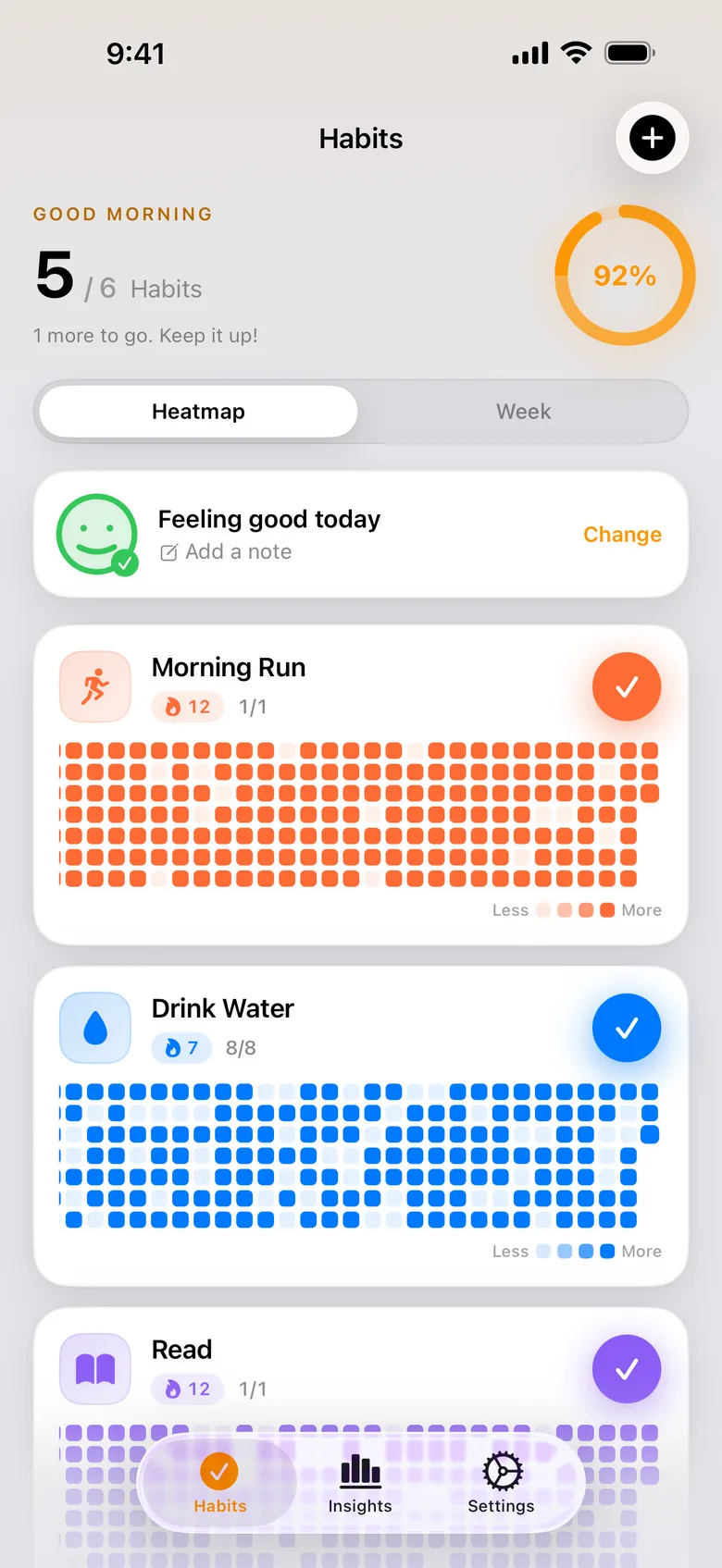
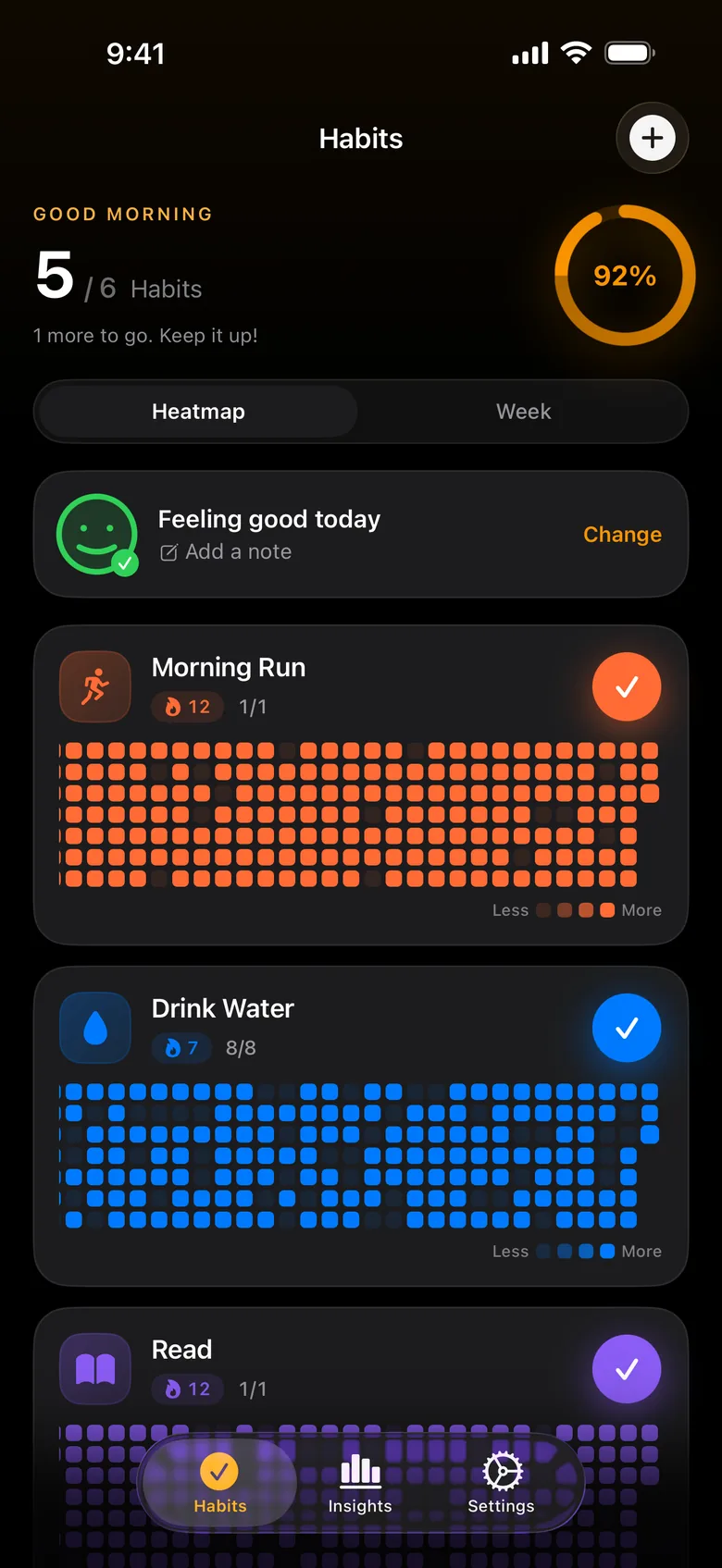
The app opens on today. Each habit is a row you tap once to complete — and under every row sits a year of history as a heatmap, so the streak you are building and the weeks you missed are on the same screen. Most trackers hide that history one tap away. Keeping it in view is the whole design: a day you skip is visible immediately, without a notification telling you about it.
One habit, up close
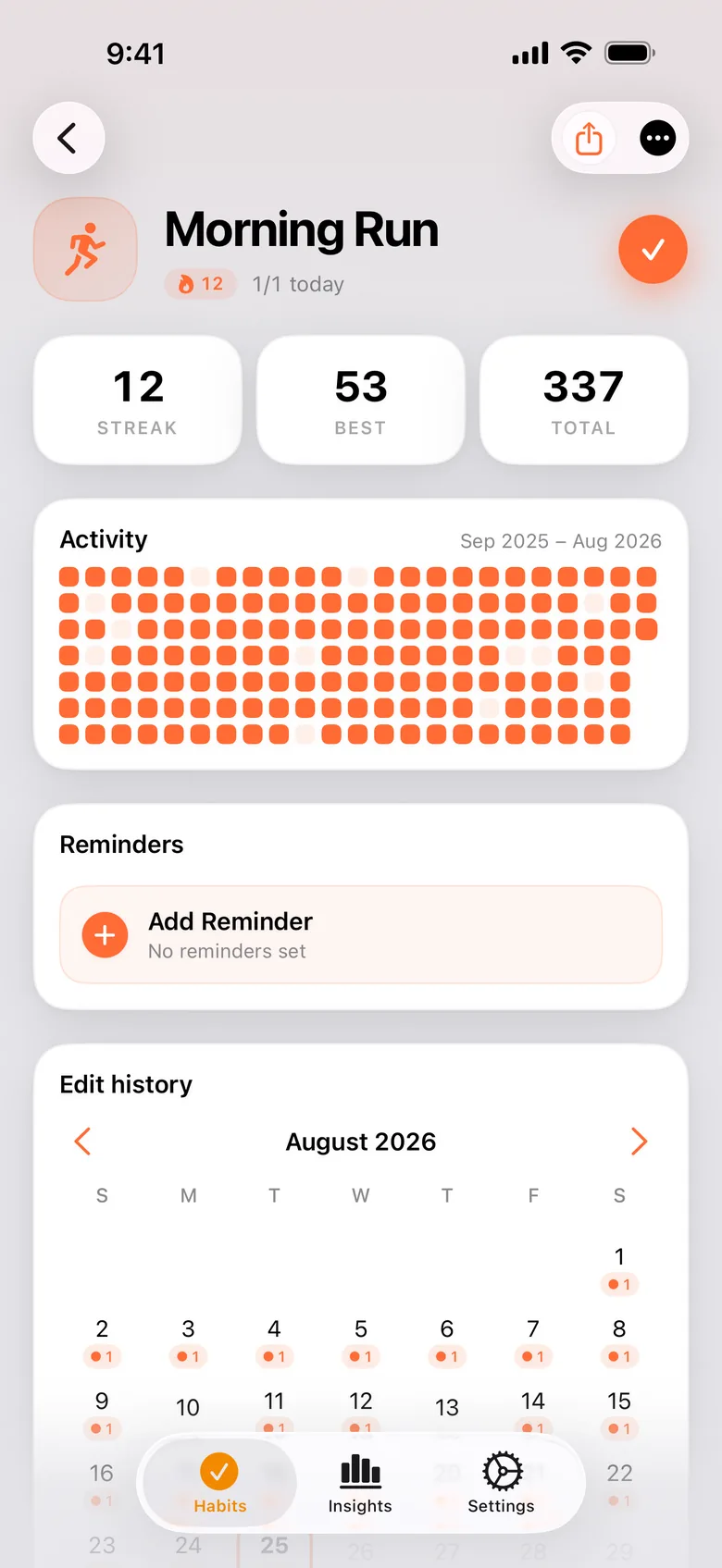
Tapping a habit opens its own page: the current streak, the best streak you have reached, and the total number of completions. The heatmap gets the full width here, so a year reads as a shape rather than a number — the long unbroken stretch from a few months back, the gap where something got in the way, the run you are on now.
All of them at once
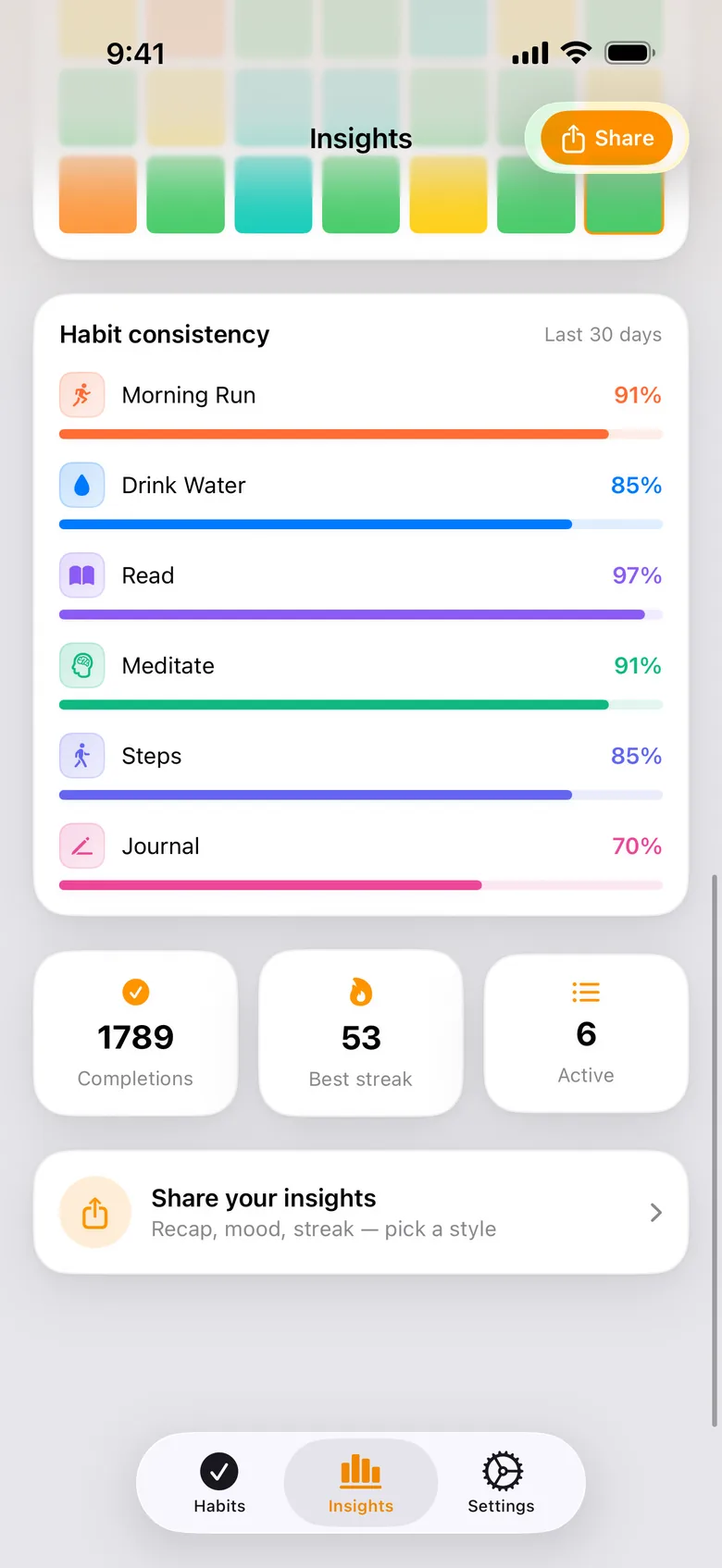
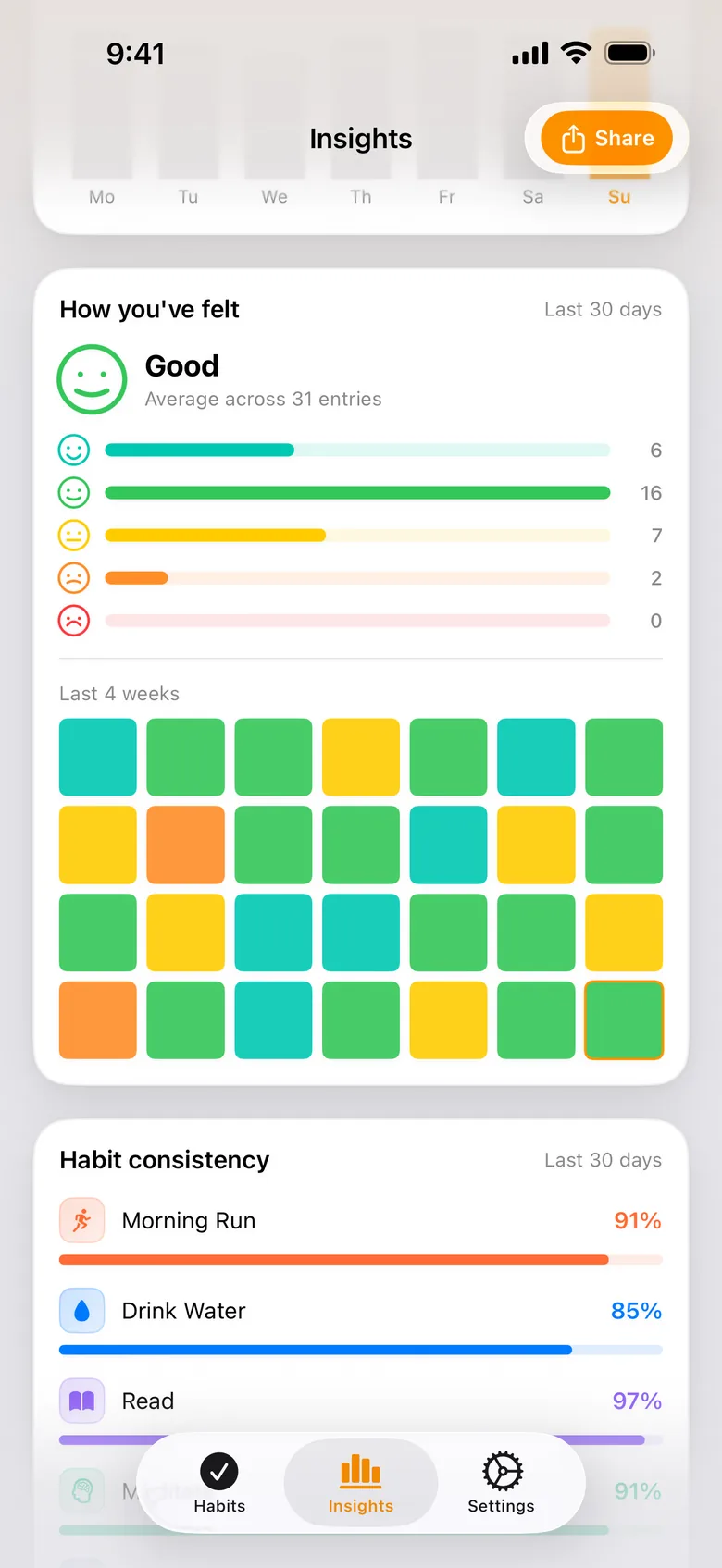
Insights carries a consistency card: every habit as a completion rate over the last 30 days, one bar each. This is where a pattern shows up that you cannot see one habit at a time — the one sitting at 97% you never think about, and the one at 70% you keep meaning to get back to. Underneath it are your totals: completions, best streak, how many habits are active.
What the numbers say
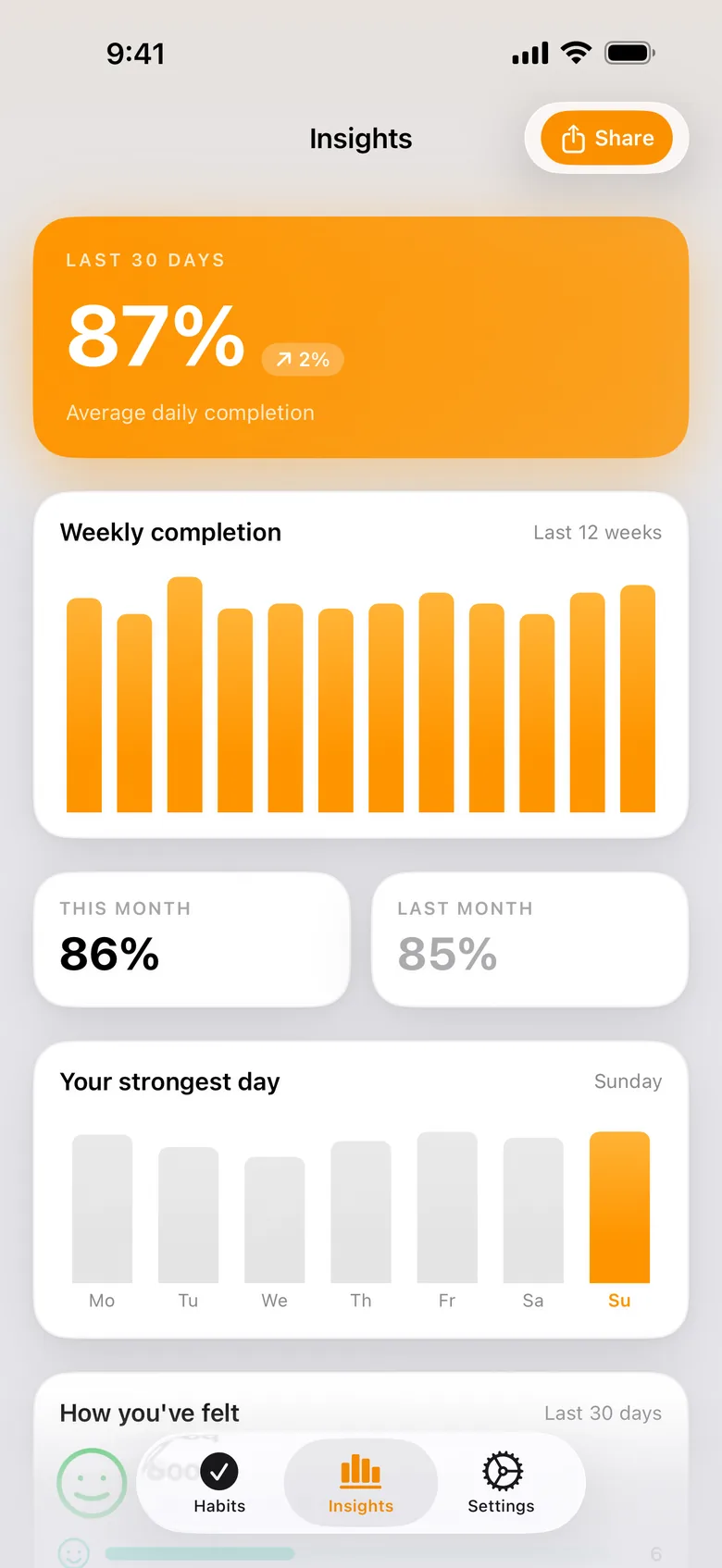
The top of the same screen is arithmetic: your average daily completion over 30 days with the change since last month, twelve weeks as a bar chart, this month against the one before it, and which weekday you are strongest on — useful mostly because it is rarely the day people guess. The basic view is free; the deeper breakdowns and trend charts are part of Pro.
How it actually felt
A checkmark records that a day happened, not how it went. Attach a mood and a note to any day and Insights adds a card for it: your average across the month, how the five moods broke down, and the last four weeks as a grid of colour. The week you kept every habit and still felt flat is a thing worth being able to see. Mood and notes are a Pro feature.
The day you missed
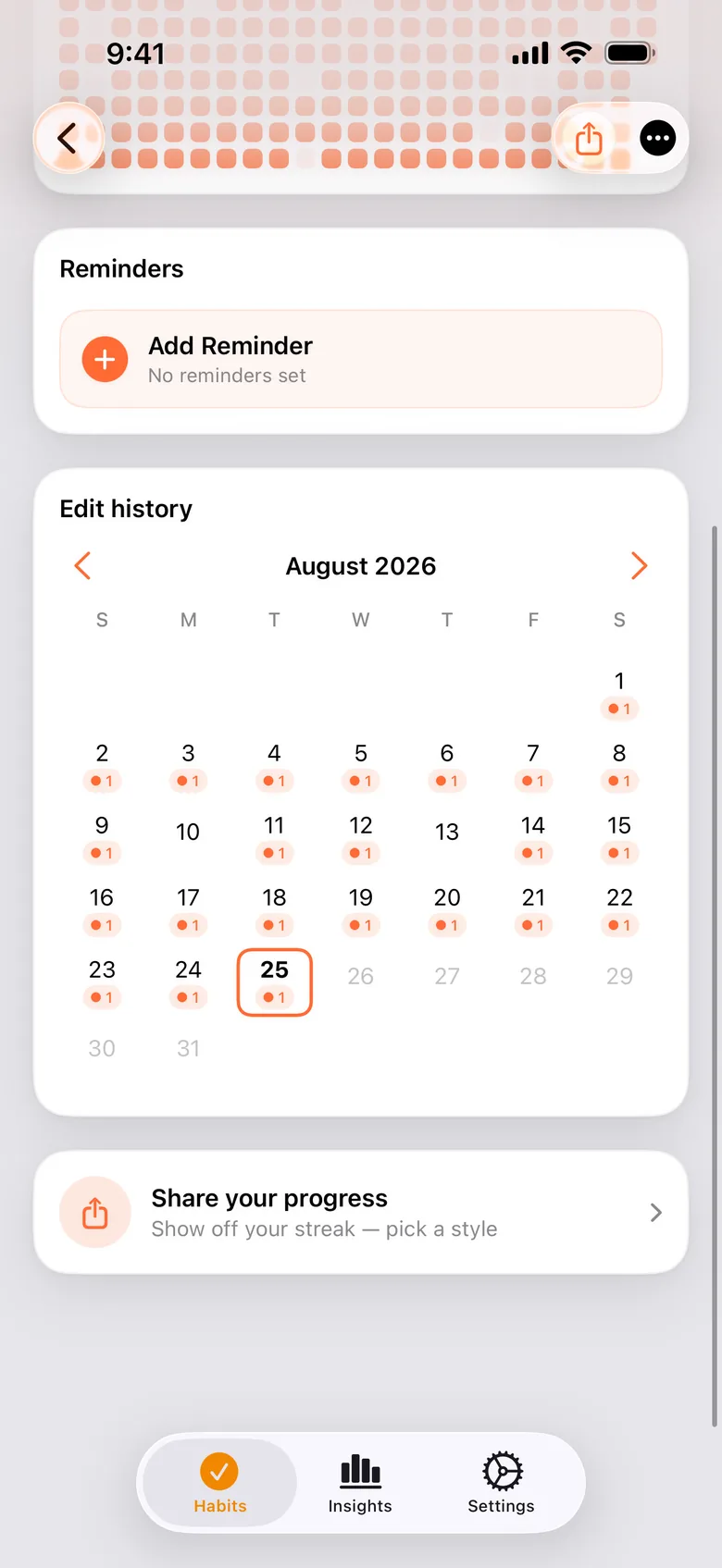
You will forget to mark something. The history view lets you open any past day and fix it, which matters more than it sounds: a tracker that cannot be corrected stops being trusted, and a streak you know is wrong is worse than no streak. Editing past days is part of Pro.
At night
The same screen in dark mode. It follows the system setting, and the heatmap colours were picked to hold their meaning in both — a half-finished week should look half-finished at midnight too, not like a smudge.
Free and Pro
Free, with no time limit
- Up to 3 habits
- The 365-day heatmap
- Apple Health auto-complete — steps, exercise, mindful minutes, active energy or sleep
- Lock Screen and home widgets
- Siri and Shortcuts
- Shareable progress cards
- Full JSON export of your data
KeepUp Pro, a subscription
- Unlimited habits
- Advanced insights and trends
- Mood and notes
- Editing past days
- Unlimited reminders
- Richer widgets with the year heatmap
- iCloud sync across your devices
- Family Sharing for up to 6 people
The free tier is not a trial: it does not expire, and the three habits you track on it stay yours. Apple Health auto-complete is free for everyone — it is a capability iOS provides, and we do not sell those.
Try it
KeepUp is on the App Store for iPhone, with an Apple Watch companion. The product page has the full feature list, the FAQ and the privacy details.