How to see a whole year of a habit at a glance on iPhone
Most habits do not fail in a day. They fade over a few weeks, and nobody notices because each day looks fine on its own. The fix is to see the days together. A repeating reminder will nudge you every day, but once you tick it, it disappears — nothing in it ever shows you last month. KeepUp keeps a year of every habit on one screen. Up to three habits are free, with the full year; more than that is part of KeepUp Pro.
Published October 9, 2026
One tap a day, a year underneath
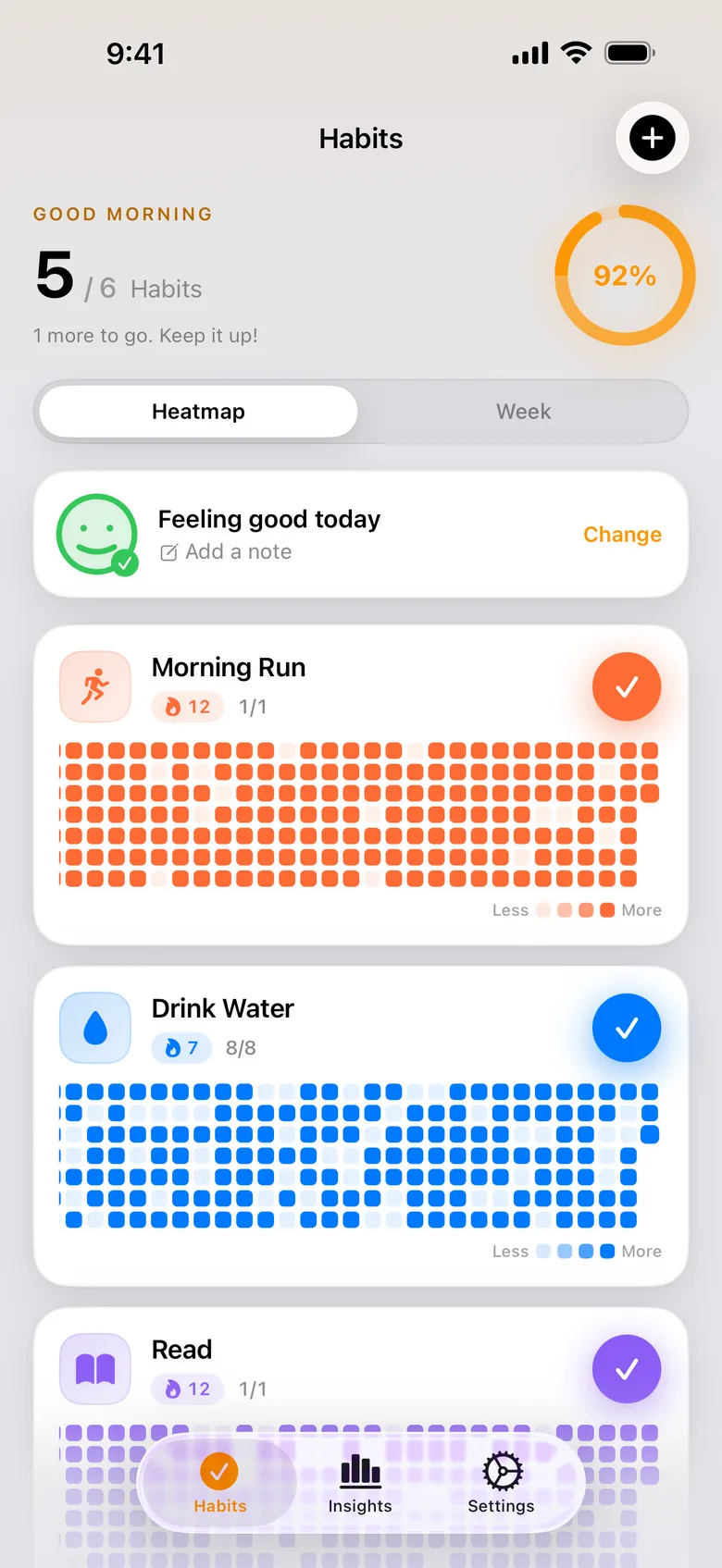
Each habit is a row you tap once when it is done. Under every row sits the last year as a grid of squares, one per day — filled when you did it, empty when you did not. That is the whole idea. A missed day shows up the moment it happens, and so does a good run, without a chart to open or a number to read.
One habit, up close
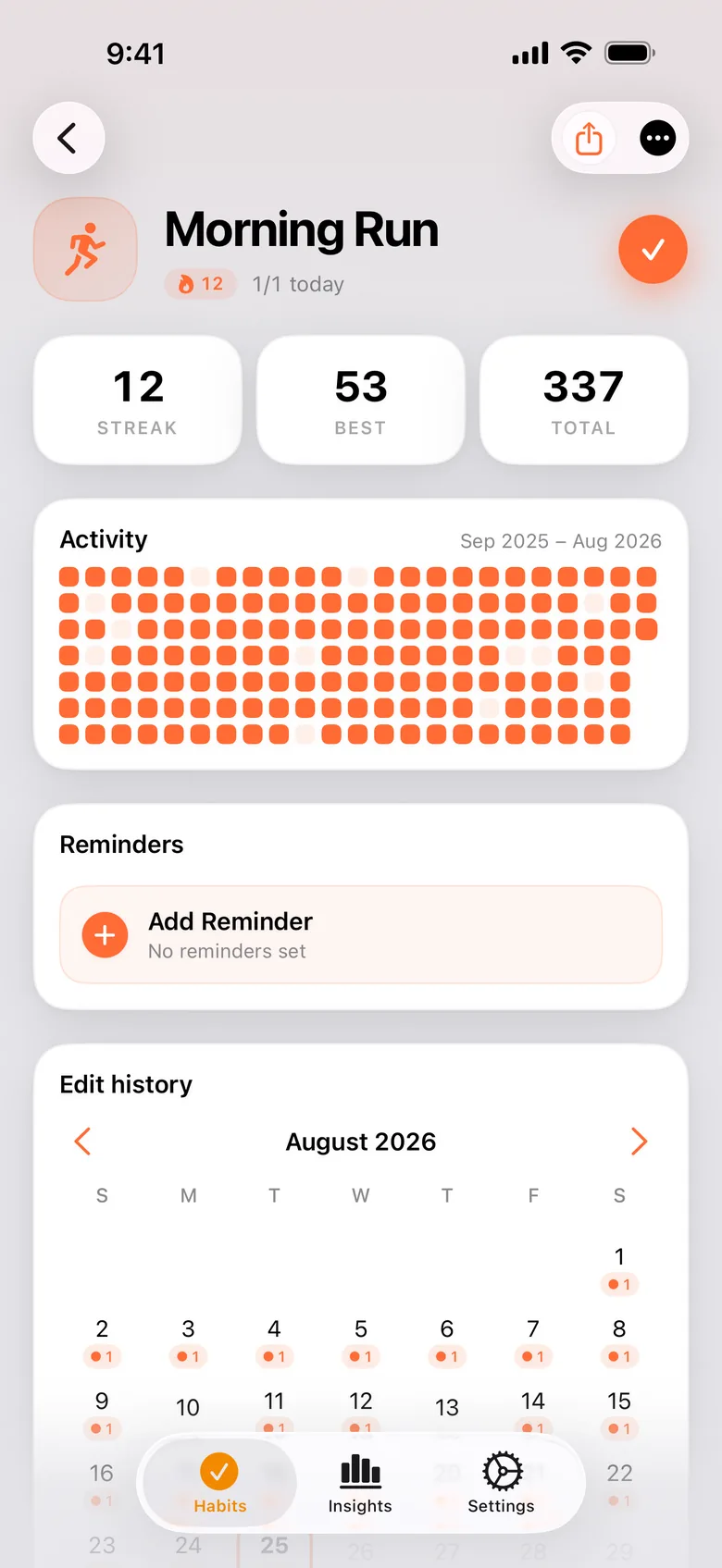
Tap a habit and the year gets the full width: your current streak, your best streak and how many times you have done it in total. Here a year reads as a shape — the long stretch that held, the gap where something got in the way, and the run you are on now.
Which habit is slipping
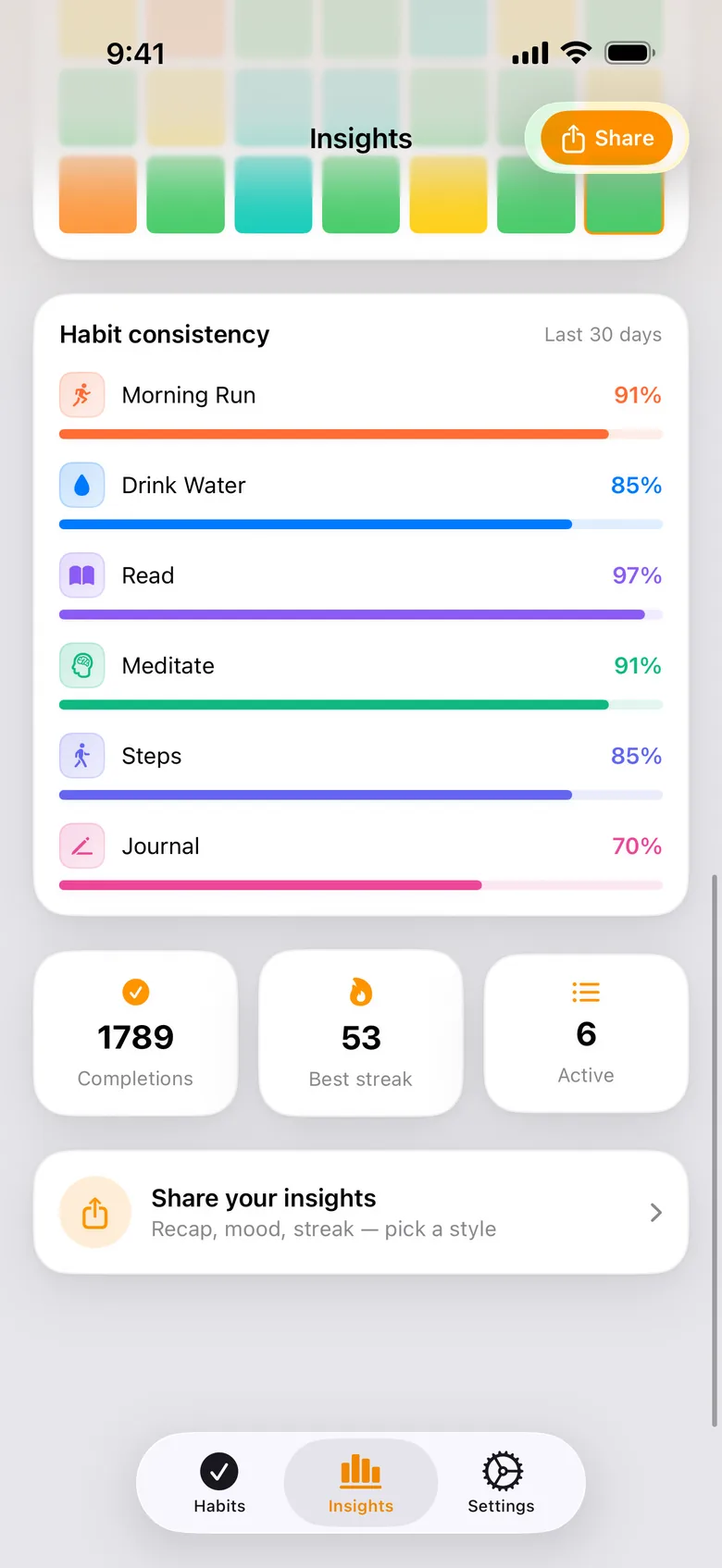
With several habits, the question changes from how am I doing to which one is slipping. The consistency card lines them up over the last thirty days, one bar each, so the habit at 97% you never think about sits next to the one at 70% you keep meaning to get back to.
Free and Pro
Free, with no time limit
- Up to 3 habits, each with the full year
- Apple Health auto-complete — steps, exercise, mindful minutes, active energy or sleep
- Lock Screen and home widgets
KeepUp Pro, a subscription
- Unlimited habits
- Advanced insights and trends
- Editing past days
- iCloud sync across your devices
The free version does not expire. The three habits you track on it, and their history, stay yours.
Get KeepUp
KeepUp is on the App Store for iPhone, with an Apple Watch companion. The product page has the full feature list, the FAQ and the privacy details.